
Why you might want one, and how to pick & use it
If you’re building a product, a course, a newsletter or simply want to collect email sign-ups for your waitlist, you may have tried Google Forms.
It’s free and easy—but it has limitations when you want a branded, embeddable, flexible email-signup form without coding.
In this post you’ll learn:
- What to look for in a Google Forms alternative for email collection
- Why you might want to move beyond Google Forms
- Top free or freemium alternative tools you can use today
- How to pick & implement one, step-by-step
- What to watch out for when collecting email leads
Why consider an alternative to Google Forms
Google Forms is great for simple surveys and quick data collection, but when you’re collecting email leads for a launch, waitlist or product build, you’ll find some gaps:
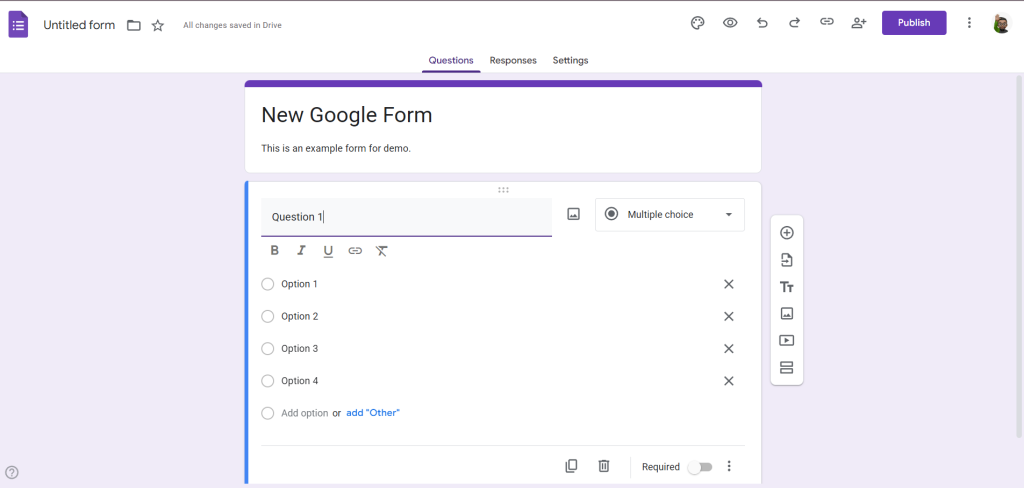
- Limited branding/customization → your form might look generic
- Embedding or match-site styling may be difficult
- Basic follow-up automation is missing
- Analytics, lead-quality filters, spam controls often weak
- Some integrations needed for email workflows or marketing are missing
For example: the site Formester states that Google Forms “offers simple templates but lacks advanced customization” and “teams often have to rely on spreadsheets or additional tools” to manage workflows. formester.com
Another resource calls out how alternatives bring more powerful features like payment collection, logic flows, and rich templates. TechRadar+1
So if you want a clean “collect email sign-ups, embed into site, connect to email system, no code” solution, an alternative is often a better fit.
What to look for in a Free Google Forms Alternative for Email Collection
Here are the features that matter when collecting emails (especially for launches, waitlists or early-users):
| Feature | Why it matters |
|---|---|
| Drag-and-drop or no-code builder | You don’t want to write HTML or backend code |
| Embeddable form or hosted form page | So you can place the sign-up form on your site or landing page |
| Branding/customization | Matches your site/look & feel improves sign-ups |
| Email collection fields + minimal friction | Typically Name + Email, maybe interest field |
| Integration with email list / export data | To send updates, newsletters, onboarding |
| Spam protection & verification | To keep list clean and usable |
| Basic analytics / responses tracking | To understand conversion & improve |
| Free / generous free tier | Especially if you’re bootstrapping or validating an idea |
When you compare Google Forms alternatives, use these criteria to judge them.
Top Free (or Freemium) Alternatives You Can Use Now
Here are some strong choices for no-code email collection forms and waitlists:
1. Jotform
- Promoted as “the best Google Forms alternative” with drag-and-drop builder, mobile-friendly, many integrations. jotform.com
- Free tier available; embed or link; many templates.
- Good if you want more flexibility.
2. Zoho Forms
- Strong free plan, customizable forms, lots of integrations (CRM etc). Zoho
- Good for bootstrapped projects that still want professional feel.
3. forms.app
- Free-forever plan with up to 100 responses/month; good branding & customization options. forms.app: Free Online Form Builder
- Great for small email lists and testing.
4. Formstack
- More advanced and enterprise-grade; may be overkill if just collecting emails, but very powerful. formstack.com
5. Waitlist-focused tools
- LaunchList: Built specifically for pre-launch waitlists with no coding. getlaunchlist.com
- QueueForm: Viral form builder with built-in referral loops—ideal for waitlists + growth. queueform.com
These tools show that you don’t need to code or rely on Google Forms for collecting email leads. You can pick one that fits your stage, budget and features.
How to Implement the Email-Collection Form (Step by Step)
- Pick your tool – choose one of the above that meets your budget & features.
- Set up the form – typically: Name + Email + Optional “How did you hear about us?” or “What are you building?”
- Customize branding – match your site’s colours, fonts, logos; add trust signal (e.g., “Be first to join our beta”).
- Embed or link the form – if your landing page is on your site, embed it; or redirect to a hosted form page.
- Connect email list/export – make sure responses go into your email marketing tool (Mailchimp, ConvertKit, your CRM) or export CSV.
- Add confirmation email – send a welcome/thank you email to new sign-ups.
- Promote the page – share your waitlist link via social, newsletters, communities, your blog.
- Monitor and iterate – see conversion rate (visitors → sign-ups), adjust copy/design to improve.
Here’s a simple HTML embed snippet you might use (depending on the tool).
<!-- Example embed from a no-code form builder -->
<div id="my-email-form"></div>
<script src="https://yourformtool.com/embed.js" data-form="abc123"></script>
Replace with your tool’s code.
No backend code needed; you just paste and you’re live.
Why This Matters for Your Product or Launch
- Collecting email leads early = you’re validating demand before full build.
- You build an audience you own, instead of posting a site and hoping traffic comes.
- Embeddable & no-code means you can iterate fast and test without developer backlog.
- With clean list & good tool, you can nurture leads into customers, testers, users.
Final Thoughts
Using a form builder alternative to Google Forms gives you more control, better branding, and stronger lead-generation features – all without needing to code. Whether you’re launching a side project, SaaS, course or kid’s sticker shop, the right form tool helps you capture interest, build momentum and own your list.
Pick a tool today, build a simple form, embed it and start collecting real emails. You’ll thank yourself when the product is ready and a small community is already waiting.